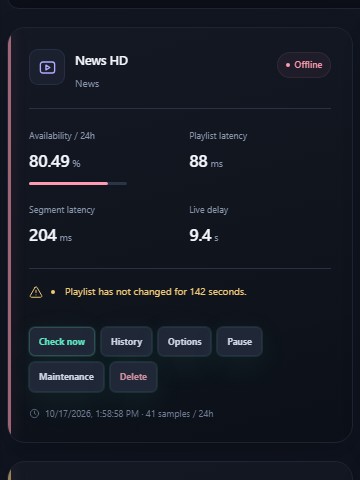
Stalled playlist
The encoder is still “up”, but the media playlist stops rotating. Viewers buffer. We treat an unchanged live window as DOWN.
 Stream Monitoring · License portal
LuceWare watches HLS playlists, segments, audio, and live delay on your server. When a channel fails, Telegram and email fire — not after a customer complaint. Stream URLs stay on your host.
Try 24 hours free · 15-minute setup · Contact us
One trial per email. Starter capacity: 10 sources. The clock starts when you request the key.
Four HLS failures we confirm on your sources — then we page you.
The encoder is still “up”, but the media playlist stops rotating. Viewers buffer. We treat an unchanged live window as DOWN.
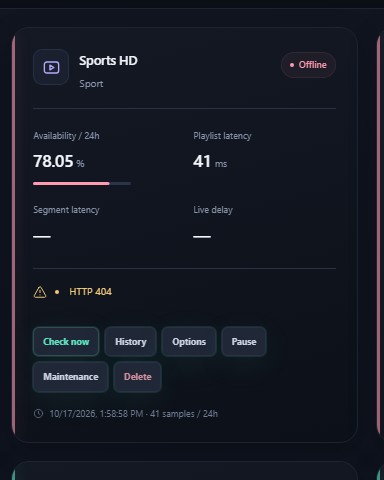
A variant or segment disappears from the CDN. The player dies. We confirm the HTTP failure before we alert.
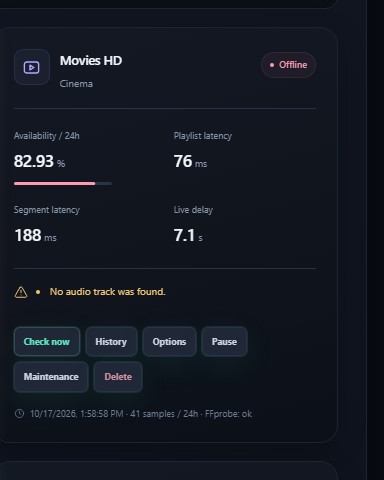
Video can look fine while the audio track is gone. FFprobe checks the sample — you hear about it, not the audience.
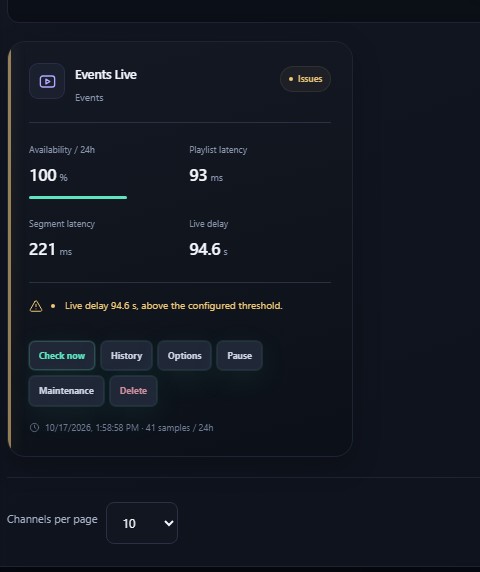
PROGRAM-DATE-TIME vs wall clock. When the live edge drifts past your threshold, we mark the channel DEGRADED.
Overview, incidents, Telegram — on your host, not a public cloud of your playlists.
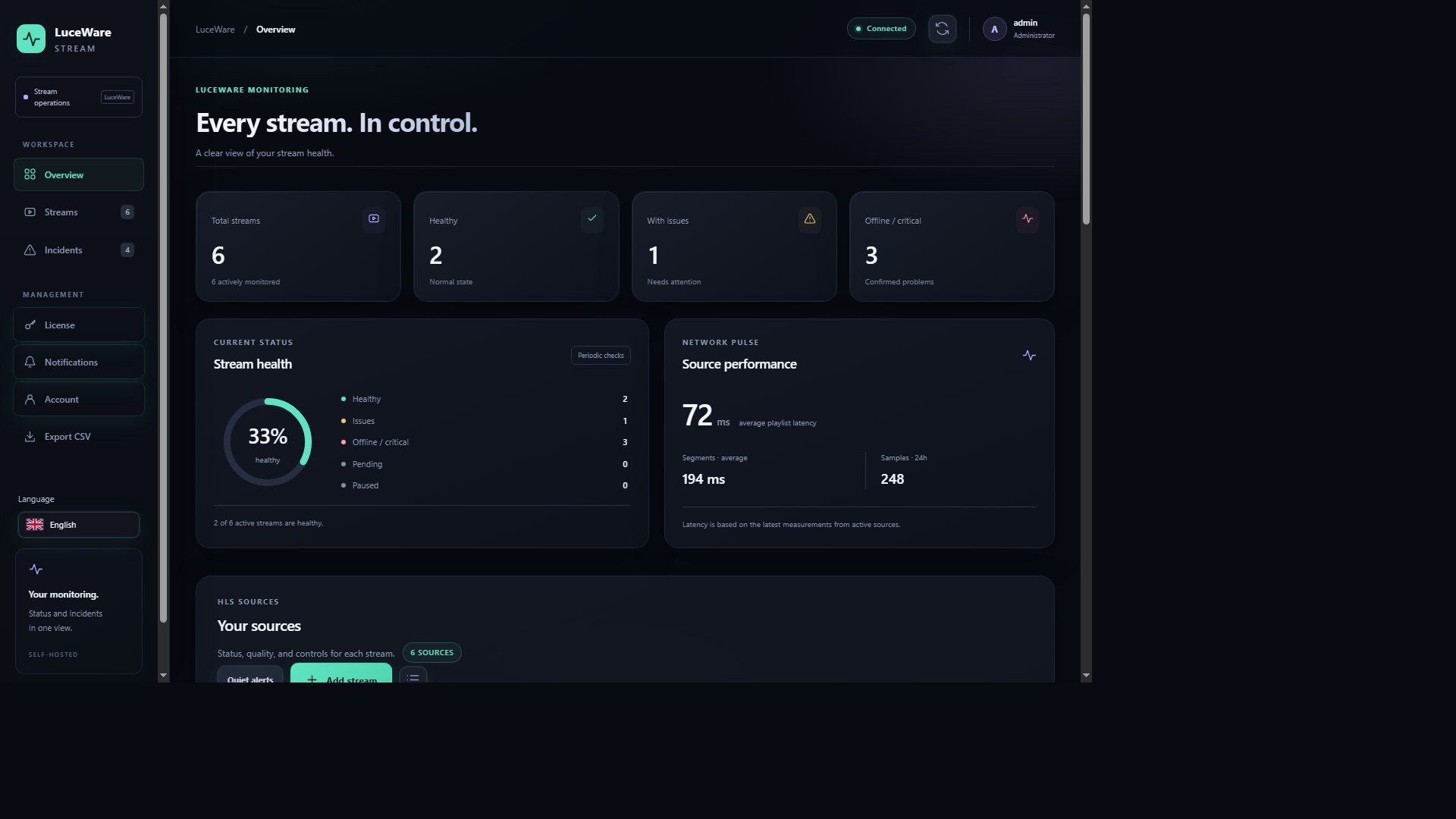
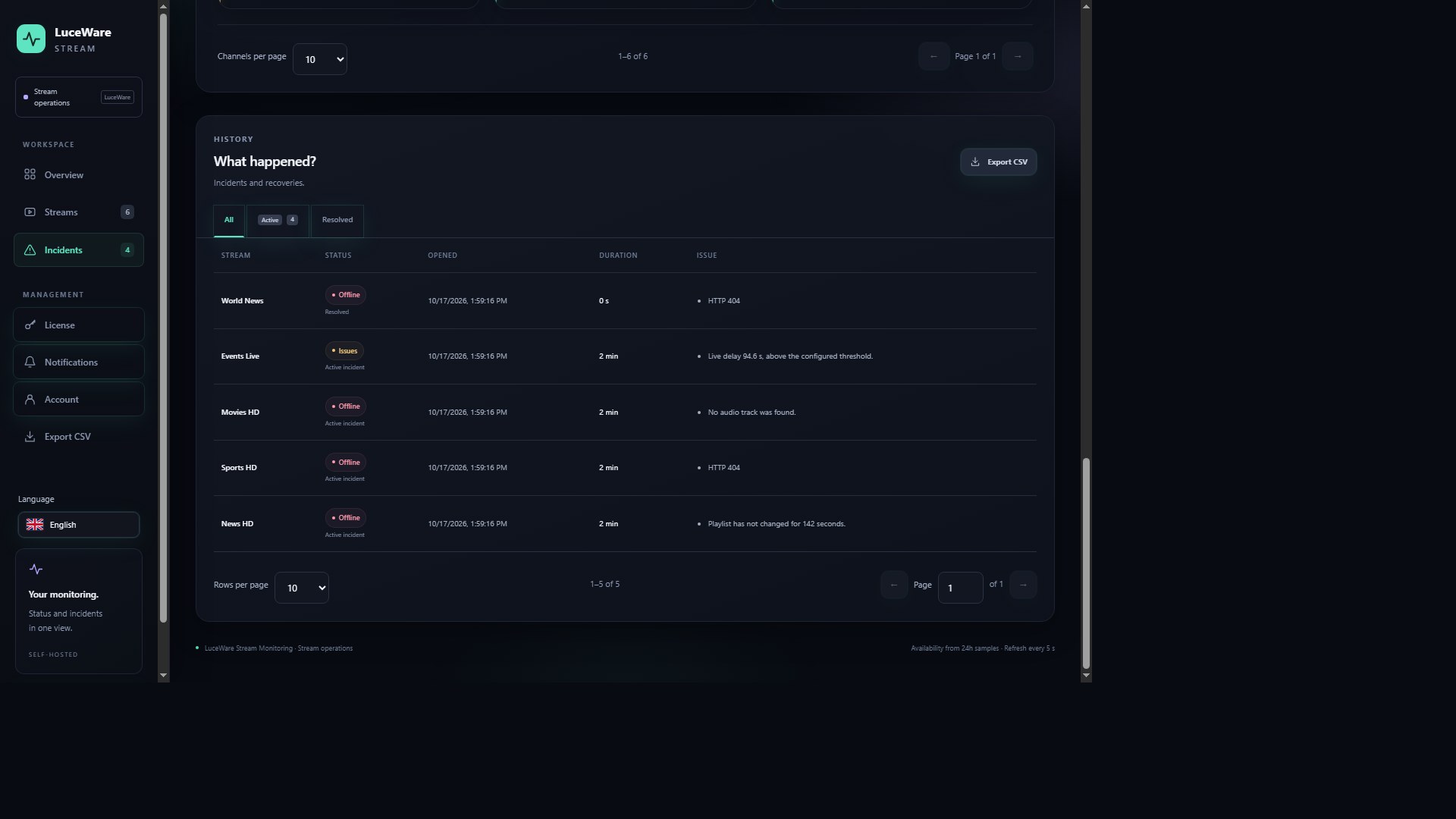
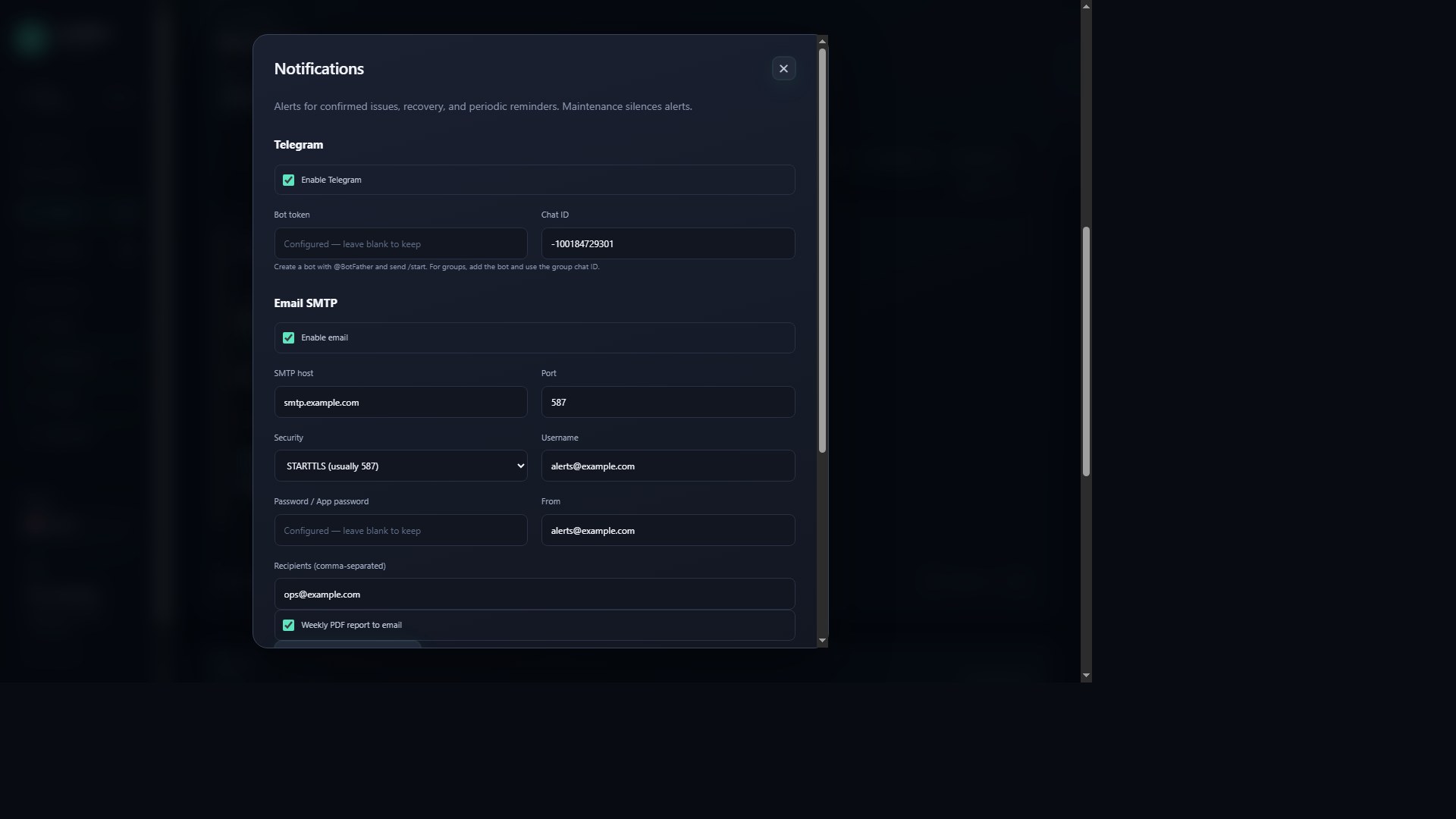
Every week the local monitor emails a PDF: how many channels had DOWN, fleet availability, and the slowest playlist. Enable it under Notifications once SMTP is set. No stream URLs leave the host.
We add 2–3 of your live channels, connect Telegram, and trigger a real alert so you see the product work. This is the fastest way from “interested” to “we are buying”. URLs you enter are emailed only to LuceWare support for this session.
Download the customer app only — Windows or Ubuntu Desktop. This is the local panel at http://127.0.0.1:8080/#overview. It is not the license admin.
Windows 10/11 or Server 2022
Download Windows SetupUnzip, run Setup-Windows.cmd, open the Desktop shortcut, then License → paste your key.
Ubuntu 22.04 / 24.04
Download Ubuntu SetupExtract, run bash Setup-Ubuntu.sh, then the panel opens on localhost.
Send a ticket. We reply to the email you enter here.
Access your keys, invoices, and installation bindings.
Shown on invoices. Company and VAT / NIPT are optional. Albanian clients enter their NIPT here.
One trial per email. 10 sources. The clock starts when you request the key. We email it to your account.
Pay securely with PayPal. The license key and both setups (Windows + Ubuntu) are emailed to your account automatically.
| Key | Package | Status | Valid until |
|---|
| Installation | Status | Last seen |
|---|
Transfer: deactivate on the old server in the local panel, then activate the same key on the new one.
| When | SKU | Amount | Status |
|---|
Open a ticket below. We confirm every ticket by email. You can reply in the thread or close a ticket without a reply.